
Token Generator
Generate secure random tokens for API keys, password-reset links, session identifiers, test data and invite codes. Choose the format and length, see the entropy in bits, generate up to 100 at once, and get the SHA-256 hash of each token for storing safely. Tokens are created with your browser’s cryptographic random generator and never leave your device.
- Free to use
- No sign-up
- Runs in your browser
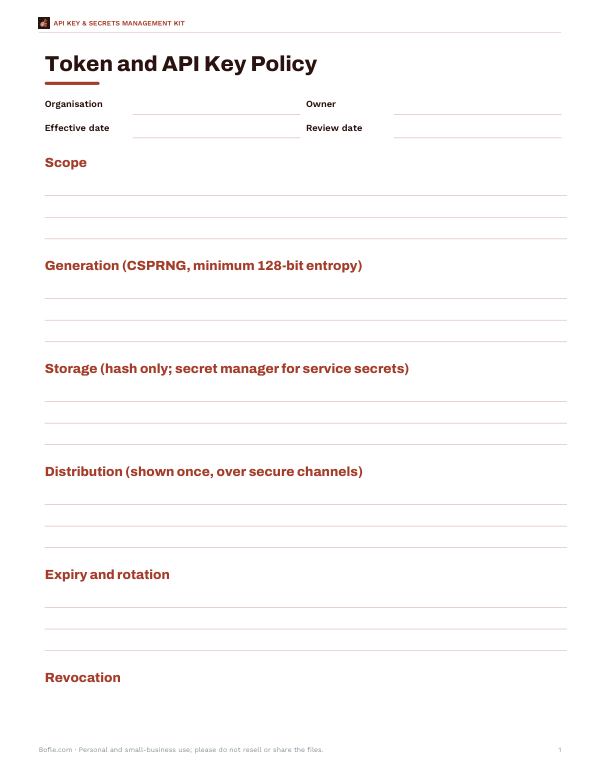
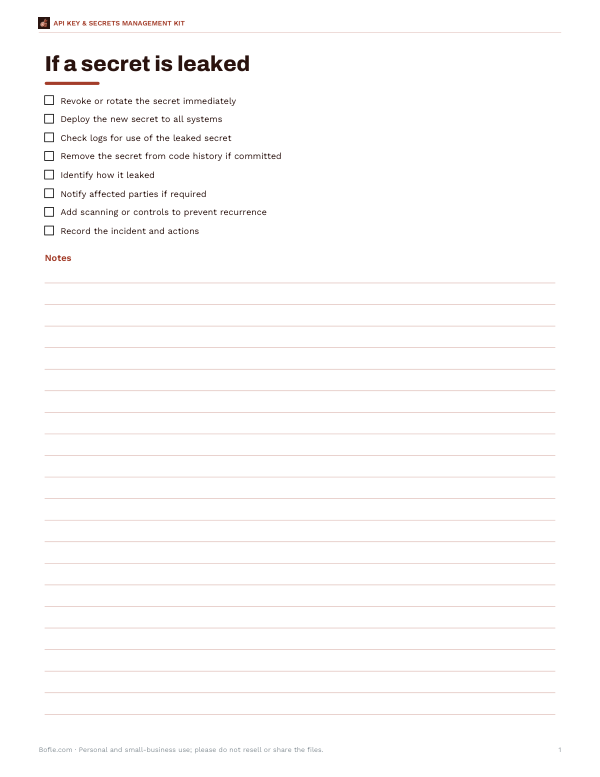
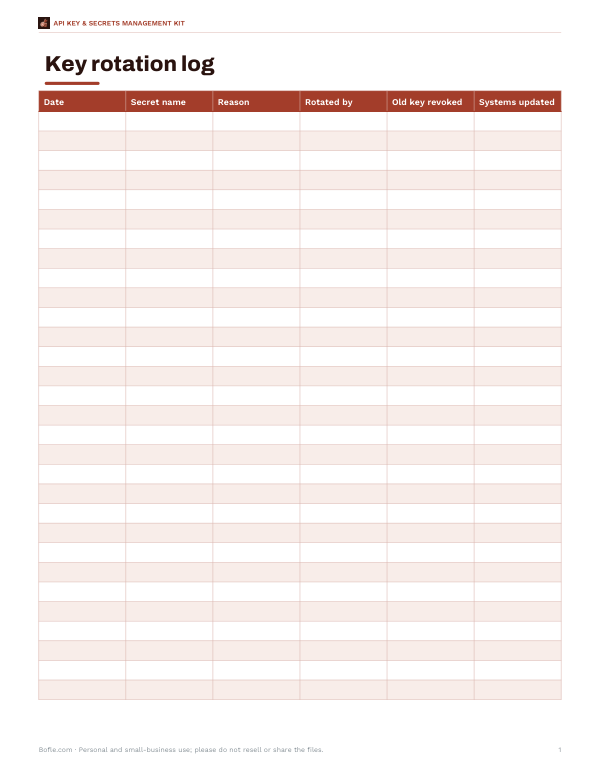
Secure token generator
| # | Token | SHA-256 (hex) |
|---|
API Key & Secrets Management Kit
Excel secrets inventory with rotation due dates, a token and API key policy template, a secret-leak response checklist and a key rotation log.
- Secrets inventory (XLSX)
- Token & key policy template (DOCX)
- Leak response checklist (PDF, DOCX)
- Rotation log (XLSX, PDF)
Formats: XLSX, DOCX, PDF. Instant download after payment (link valid 72 hours, up to 5 downloads). AI-assisted: the templates were drafted with AI help and reviewed and laid out before publishing.
$5.00 USD, one-time 4 files · about $1.25 each
- Instant download
- 7-day refund
- Secure checkout by Stripe
7-day money-back guarantee. Full refund within 7 days of purchase, even after you download.
Free sample: Key Rotation Log (PDF, 52 KB)
Full refund within 7 days — see the refund policy and license.
Free printables
Single sheets you can print right now, no sign-up. The full pack adds every sheet in one download plus the editable files.
What makes a token secure
A security token is only as strong as it is unpredictable. Secure tokens must come from a cryptographically secure random number generator (CSPRNG) and be long enough that guessing is impractical. This generator uses the Web Crypto API (crypto.getRandomValues and crypto.randomUUID), which draws on the operating system’s secure random source. It also uses rejection sampling when mapping random bytes to characters, so every character in the set is equally likely — a subtle detail that simple generators often get wrong.
How much entropy do you need?
| Use | Suggested entropy | Example |
|---|---|---|
| API keys, long-lived secrets | 128 bits or more | 32 hex chars = 128 bits; 22 alphanumeric ≈ 131 bits |
| Password reset and magic-link tokens | 128 bits | 43 base64url characters ≈ 258 bits is generous |
| Session identifiers | At least 64 bits, 128 recommended | 32 hex characters |
| One-time codes sent by SMS or email | About 20–30 bits, with expiry and attempt limits | 6–8 digits |
| Invite or coupon codes | 40–60 bits, rate-limited | 10 characters from a 32-character set |
Entropy in bits = length × log₂(number of possible characters). Each extra bit doubles the number of guesses an attacker needs; 128 bits is far beyond brute force with any foreseeable computing power.
Formats explained
| Format | Characters | Bits per character | Notes |
|---|---|---|---|
| Hex | 16 | 4 | Easy to handle; twice as long as bytes |
| Base64url | 64 | 6 | Compact and URL-safe (uses - and _ instead of + and /) |
| Alphanumeric | 62 | ≈5.95 | No symbols; safe in most contexts |
| Numeric | 10 | ≈3.32 | For codes people type; needs expiry and rate limits |
| UUID v4 | — | 122 random bits | Standard identifier format; unique, but prefer longer random tokens for secrets |
| Custom | Your set | log₂(set size) | e.g. exclude look-alike characters 0/O and 1/I/l |
Storing tokens safely: hash them
Treat tokens like passwords. Show a newly generated API key to its owner once, then store only a hash of it. When a request arrives, hash the presented token and compare it with the stored hash. Because the tokens here are long and random, a fast hash such as SHA-256 is appropriate (slow password hashes like bcrypt or Argon2 are designed for low-entropy human passwords). If your database leaks, the hashes are useless to an attacker. The “Show SHA-256 hash” option displays the hash so you can see what would be stored.
Prefixes for API keys
Many services add a short prefix to API keys, such as app_test_, to show which system and environment a key belongs to. Prefixes help developers tell keys apart, let secret-scanning tools detect leaked keys in code repositories, and make it obvious when a test key is used in production. The prefix adds no security by itself — the random part must still carry enough entropy.
Worked example
A developer needs API keys for a small internal service. They choose alphanumeric, 32 characters, and the prefix svc_. Each key carries about 190 bits of entropy. They give each key to its user once, store only the SHA-256 hash in the database with the key’s owner, creation date and last-used date, and plan to rotate keys every 90 days. For password-reset emails, they use a 43-character base64url token that expires after 30 minutes and can be used only once.
Token handling checklist
- Send tokens only over HTTPS.
- Set expiry times and allow tokens to be revoked.
- Use tokens once where possible (reset links, invites).
- Never log full tokens; log a short prefix or hash for debugging.
- Compare hashes using constant-time comparison.
- Keep secrets out of source code; use a secret manager or environment variables.
- Rotate long-lived keys regularly and after staff changes.
Tokens in URLs
Tokens in links — password resets, email verification, invitations — can leak through browser history, server logs, analytics and the Referer header when the page links to other sites. Keep such tokens single-use and short-lived, set a strict Referrer-Policy on the pages that receive them, avoid third-party scripts on those pages, and exchange the URL token for a session quickly. For API authentication, send tokens in an Authorization header rather than the query string.
Not a password manager
Random tokens are for machines. For your own account passwords, use a password manager, which generates and remembers unique passwords for every site; for passwords you must remember, a passphrase of several random words is easier to type and still strong.
Privacy
Tokens are generated locally in your browser. They are not transmitted, logged or stored by this page. Even so, for production secrets many teams prefer to generate keys inside the system that will use them, so they are never displayed at all.
Frequently asked questions
Are these tokens really random?
Yes. They use the Web Crypto API’s cryptographically secure random generator with unbiased character selection.
How long should an API key be?
At least 128 bits of entropy — for example 32 hex characters or 22+ alphanumeric characters.
Is a UUID secure enough as a secret?
A v4 UUID has 122 random bits, which is strong, but longer purpose-made tokens are generally preferred for secrets.
Should I store tokens in plain text?
No. Store a hash (e.g. SHA-256) and compare hashes.
What is base64url?
A URL-safe variant of base64 that uses - and _ instead of + and /.
Are generated tokens sent anywhere?
No, they are created and shown only in your browser.
Can I avoid confusing characters?
Yes. Choose Custom and remove look-alike characters such as 0, O, 1, I and l; the entropy updates automatically.